Why Two Denshin Maps Look Different
Two players can visit the same street and see different quarters open. Here's how personal quest progress shapes the Denshin map.
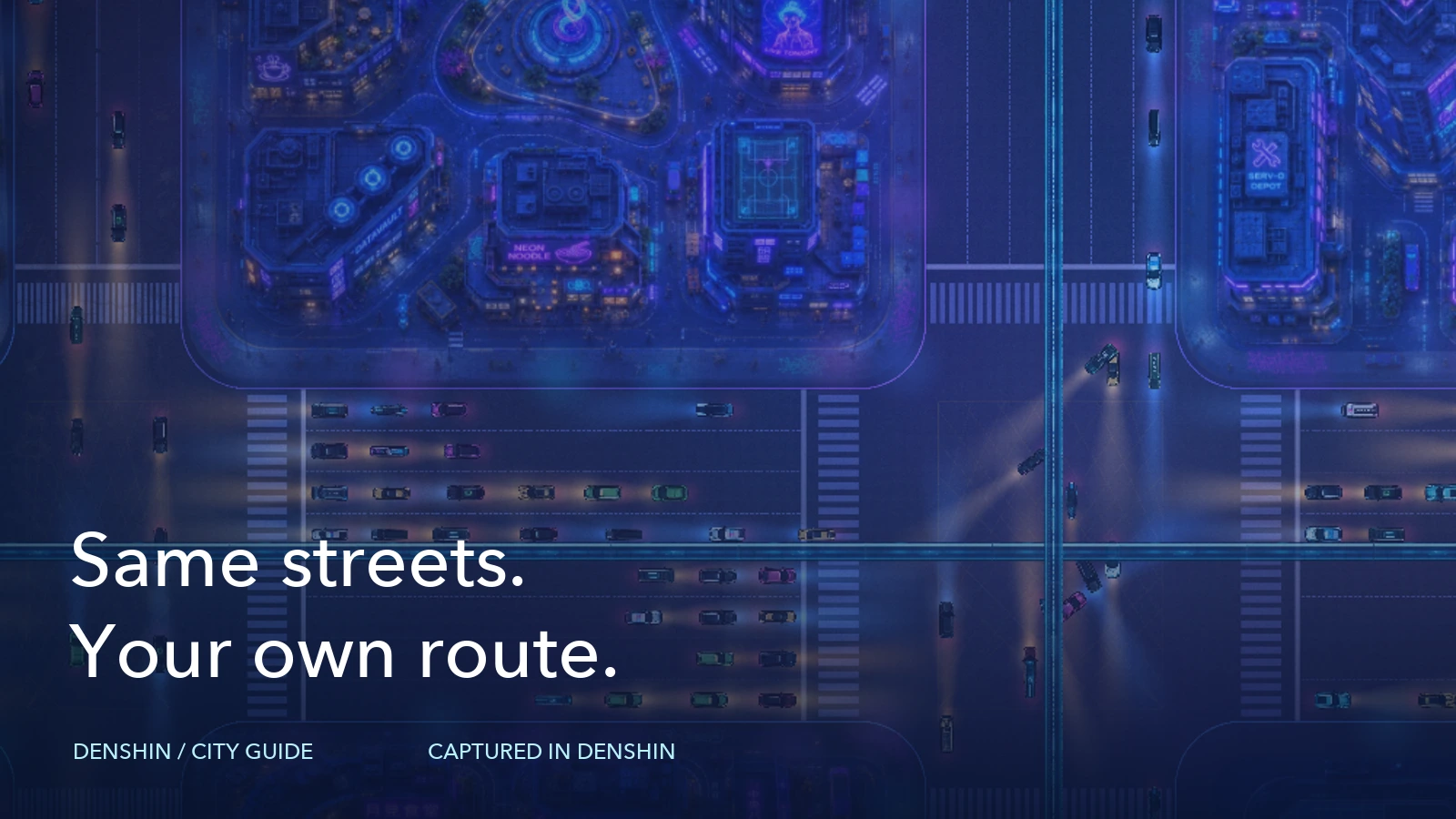
A friend sends you a screenshot of Denshin. You recognise the street, but the blocks beside it look different. Their open area reaches farther in one direction, while a quarter you've opened still has a seal in their picture. You can both be looking at the same city.
The street layout gives you a shared place to explore. The opened quarters show your own quest progress. When we put those two layers together, two maps can tell different stories without disagreeing about where anything is.
Find the same street first#
Before comparing progress, find a common landmark. Use a street name, a quest name and the quarter where that quest sits. A screenshot taken at a different zoom can make two nearby blocks look farther apart than they are. Pan to the same intersection and bring the views to a similar scale.
A quarter is one city block. A quest occupies a quarter and opens a cluster of quarters when you complete it. The street is the useful address; the state of those blocks tells you what that player has completed. Our city handbook explains how those pieces fit together.
For a published season, the city's layout, palette and codes stay fixed. Your friend's route through that layout can still be very different from yours. A seal beside a familiar road is a reason to inspect the local quest, rather than assume you are viewing a different street.
Each player has their own opened area#
Seals are personal. Completing a quest opens the quarters linked to it on your map. Another player sees the blocks opened by their own completed quests. Your completion doesn't clear those seals for everyone else visiting the city.
Imagine two players starting from the centre. One follows the suggested route outward. The other reads several cards and chooses a quest farther away. Once those quests are complete, the first player may have a connected patch near the centre. The second may have an open island with sealed blocks between it and the centre. This is an example of two possible routes, rather than a report of anyone's results.
Neither shape, by itself, explains every choice the player made. They may have picked a network they already use, followed an interesting task or left a quest for later. The map shows the area they've opened. Read the quest cards if you want to understand the work behind it.
A sealed quarter can still contain your next quest#
A seal doesn't mean you must complete every earlier block before opening the quest card. You can read and start a quest while its quarter is still sealed. Its requirements tell you what you need to prepare.
That matters when a friend recommends a quest across town. Find its card and read the tasks before judging its availability from the surrounding fog or seals. You might be ready for it now, or you might decide another task is a better next step.
Suggested routes help your opened quarters grow into a connected area. Choosing a farther quest can leave gaps that fill in later. You can use the route as a starting point while still checking each card for its actual conditions.
Check the whole quest when a block hasn't opened#
Completing an action is one part of a quest's progress. A quest completes when all its required tasks are done. If you expected a change on the map and don't see it, return to that quest and inspect the tasks still listed as incomplete.
Some tasks read a current balance. Others check an action or a linked account. An action check looks for the relevant activity after Start mission. Read the result of Verify and compare it with the unfinished task before repeating a transaction. The quest guide describes the task structure, and the verification guide explains what the checks read.
You don't need to reconstruct your friend's actions to diagnose your own task. Use the requirements shown for your quest and the result of your own check. A screenshot of their open block can't confirm that your remaining requirement has been met.
Compare progress with enough context#
When sharing a map, include the street name and quest name alongside the picture. Label a guest view clearly, and say when a picture shows your own signed-in progress. A guest view is useful for finding your way around, but it isn't a record of your account's completed quests.
If you're comparing before and after, use your own view of the same place. Keep the framing close enough that the changed quarters are easy to recognise. A wide view is good for seeing your route across the city; a closer one helps show the cluster around a particular quest.
Two maps don't need to match for both players to be making progress. Use the shared streets to find each other, then use your own quest status to decide what comes next. The next useful comparison is often a single card and its remaining tasks, rather than the total shape of someone else's city.