Web3 Game Sign-In and Gas Fees
Learn how Denshin's wallet sign-in differs from an on-chain transaction, where gas fees appear, and what to read before approving a request.
Your wallet opens while you enter a game. Later, it opens again when you do something on a network. The windows may look familiar, but the requests have different jobs. Reading that difference is more useful than trying to recognise a button by its colour.
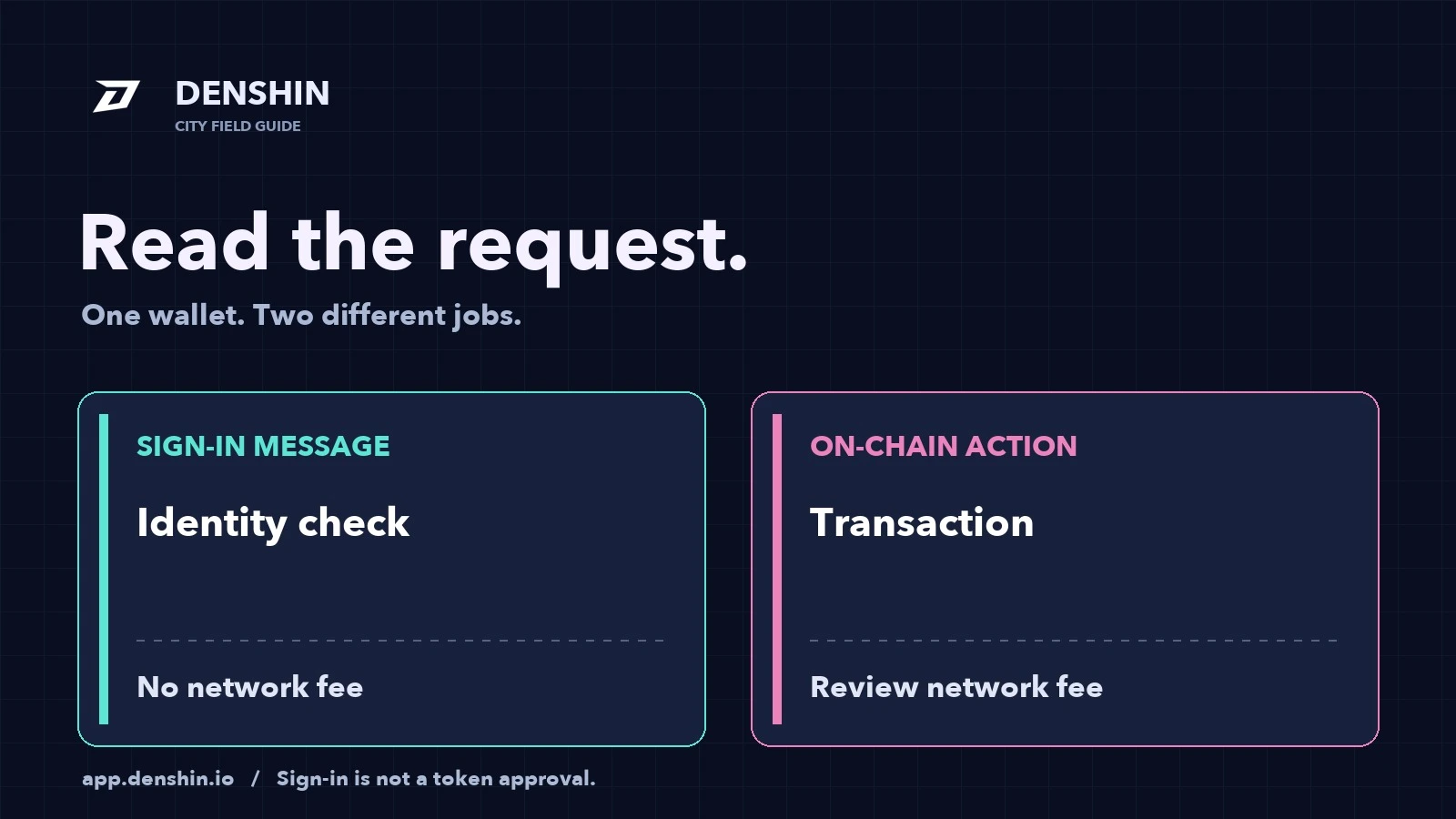
In Denshin, signing in uses a message signature. A network action uses a transaction. The first establishes your session; the second asks a network to process an operation. This guide follows those two moments without assuming that every wallet presents them in the same layout.
Start with what the request says#
A wallet is where you review a request, so opening it does not tell you enough on its own. Before choosing an approval button, look at the site asking, the account involved and the actual message or operation.
For Denshin, begin at the official app address, app.denshin.io. Keep that address visible in the browser rather than arriving through an unfamiliar direct message. If the wallet's request is difficult to understand, pause there. A familiar logo or an urgent instruction is not a substitute for reading it.
The distinction is about purpose. Ask yourself: am I proving that I control this address, or am I asking a network to perform something? That question gives you a useful place to start even if you have changed wallet apps since your last visit.
The sign-in message establishes your session#
Denshin asks your wallet to sign a login message. The app uses that signature to check that you control the address. This step does not require a network fee, transfer assets or give Denshin authority to spend tokens. It is not a token approval.
The getting-started guide explains this part of entering the city. You can also explore the map as a guest before signing in. The login is for the parts of the game connected to your profile; it is not a charge for opening the map.
A message signature is not automatically harmless just because it has no gas fee. The useful claim here is specific: Denshin's login request proves control of an address without granting spending permission. Read the request you actually receive, rather than extending that description to every message another site might ask you to sign.
A network operation is a separate decision#
An on-chain transaction asks a network to process an operation. The wallet gives you a chance to review that operation and its estimated network fee before you confirm it. Signing in earlier does not remove this later review.
Gas is the network fee associated with processing a transaction. It is separate from the purpose of the transaction itself. A transaction can require gas even when its purpose is not to send tokens to another person. Conversely, proving ownership through Denshin's login message does not become a transaction merely because you used the same wallet.
Do not use a fixed example fee as a promise about your next request. Read the estimate presented for the operation and network you have chosen. If the request is different from the action you meant to take, stop and check the app before proceeding.
Denshin Sync makes the difference visible#
Denshin Sync is an example you can recognise in the city. Its window lets you choose a supported network and then asks your wallet to confirm an on-chain transaction. That step has a network fee, even though the sync does not transfer token value or request a token allowance.
If you arrive signed out, entering Daily Check can involve both moments: first the login message, then the separate sync transaction. Finishing the login does not mean the daily network operation has already happened. Treat the second request as its own decision and review the selected network and fee.
After confirmation, follow the status in the app. Seeing a wallet window, signing a login message and having a transaction confirmed are different observations. Keeping them separate helps explain why simply signing in does not finish an on-chain action.
Keep the account context straight#
The address signing you in and the wallet used for a quest deserve attention too. Denshin can have linked wallets, while on-chain quest checks use the main wallet for the quest. Sync has its own linked-wallet rule. The wallet guide explains those roles in detail.
You do not need to rearrange wallets just to understand a popup. First read which account the wallet displays and compare it with the action you intended. If something does not match, resolve that before approving the request. It is easier to investigate while nothing new has been submitted.
For your next visit, leave yourself a small pause between the popup appearing and your response. Read the site, account and request. For a transaction, also read the network and fee. That habit carries across wallet layouts, and it keeps entering the city distinct from doing something on-chain.